
Well, i managed to last a whole month without working on the track. I did, however, spend some time figuring out how to get an HD video on youtube of a lap around the track (which you'll see posted on the right). I also spent a good amount of time doing other things while secretly thinking about working on the track. So what the hell, i guess i just need to finish this damn thing.
That being said, i'm starting to lay out the Hicky's Ridge section now. I'm only just starting into town, but progress is definitely being made. I'll post some screenshots once i've got something more than a skeleton going on.
Saturday, August 14, 2010


Monday, July 12, 2010
Done for now
And another weekend has been sacrificed at the altar of track building. I feel like i just washed up on a beach after a 20 mile triathlon... in my brain. There's sooooo much that needs to be done to get a track ready for release and it's been long haul.
Thankfully, i've got a beta version of Dead Man's Loop done now and ready for public consumption. If you look at the top-right of the blog, you'll see a download link and info. And if you look below that, you'll see some video links (updated with HD video in aug2010).
Some notes of interest:
If you want to check out the rFactor, MCOMOD and this track - free for an hour, you can do this:
- Download the rFactor v1255 Full Install from one of the sites here (1 gig download):
http://www.rfactor.net/index.php?page=downloads
- Grab the MCOMOD here (requires a login):
http://fatbob56.com/forum/mcomod/viewtopic.php?t=113
- Get the track from the page you're on right now
- Install rFactor, but don't run it (no need to until everything else is installed).
- Install the MCOMOD
- Install the track
- Run rFactor and get all your settings right. You'll have a 60 minute trial going, so you'll want to move fast. When you first start it up, you'll be asked to join a league - select MCOMOD.
- To get enough money to buy any car/parts you want, go to either Testing or Race Weekend and select the Dead Man's Loop track. Once the track loads and you're sitting in the "Monitor", type "ISI_BABYFACTORY" in the chat console and enter it. Once you've done that, back out to the Main Menu and you'll see your bank account go ape-shit. You can then buy any car with any upgrades you want. I suggest the Cobra - :)
- Once you've got your car and settings all squared away, you can go back to Testing or Race Weekend and race for the remainder of the hour.
That's it for now - i hope you like it! let me know what you think!
Thankfully, i've got a beta version of Dead Man's Loop done now and ready for public consumption. If you look at the top-right of the blog, you'll see a download link and info. And if you look below that, you'll see some video links (updated with HD video in aug2010).
Some notes of interest:
- The track files are as big as they are because i didn't pack them up into MAS files. Any time i'd try, the floor of the garages would disappear. I did this shit by the book (as far as i can tell) and this is how it went. I'll see if i can figure it out and upload a new version at a later date. *grumble*
- Shadows are a relatively new and fun thing that i've been screwing around with. Some of them suck and need fixing, some don't exist, and in some cases - there are too many. It'll hurt performance a bit when the shadows get long (4:30pm, 6:30am etc), but it's not too bad. If you start dropping frames, either switch to a less shadowy time of day or turn down the quality on them. It runs like butter with the shadows off entirely, but it doesn't look quite as nice.
- You might not recognize the track until you get out on it a ways. I had to build a big garage area and a linking road to get Dead Man's looping into Tornado Flats. If you've been watching the blog for any amount of time, you probably already know this.
- The default track building sky is used. I might switch it over to the old Skoggit track sky for the finished version or i might get a new one all together. And if i'm lazy... it might just stay the same. It looks just fine imo.
- There are lights throughout the track for night driving, but i haven't done much of it and i'm not sure if the lights are in the most desirable spots. You'll need headlights on anyway, so it shouldn't be too bad. But yea, a final version will have polished night driving.
- Speaking of polish - if you run into any bugs or have suggestions - email em to me through the blog or just post a comment under one of my posts. Either way works for me.
- While i would think there's something wrong with anyone who's still checking MCO related forums on a daily basis, the absolute lack of response to my offer of putting fan screenshots on the track was a little disheartening. I'll still do it if anyone's interested, but the clock is ticking - you've got 6 months! Better hurry... ;)
- I think i'm going to take about a month off from track building. It's been brutal these past few weeks and i could stand to spend some time on other projects. I'll still hover around here, waiting to see if any comments come along, but there won't be any solid updates for awhile.
- If any fellow track builders come upon this - i'm always open to learning sneaky tricks or getting feedback from other freaks in the trenches. Let me know what i can do better. :)
If you want to check out the rFactor, MCOMOD and this track - free for an hour, you can do this:
- Download the rFactor v1255 Full Install from one of the sites here (1 gig download):
http://www.rfactor.net/index.php?page=downloads
- Grab the MCOMOD here (requires a login):
http://fatbob56.com/forum/mcomod/viewtopic.php?t=113
- Get the track from the page you're on right now
- Install rFactor, but don't run it (no need to until everything else is installed).
- Install the MCOMOD
- Install the track
- Run rFactor and get all your settings right. You'll have a 60 minute trial going, so you'll want to move fast. When you first start it up, you'll be asked to join a league - select MCOMOD.
- To get enough money to buy any car/parts you want, go to either Testing or Race Weekend and select the Dead Man's Loop track. Once the track loads and you're sitting in the "Monitor", type "ISI_BABYFACTORY" in the chat console and enter it. Once you've done that, back out to the Main Menu and you'll see your bank account go ape-shit. You can then buy any car with any upgrades you want. I suggest the Cobra - :)
- Once you've got your car and settings all squared away, you can go back to Testing or Race Weekend and race for the remainder of the hour.
That's it for now - i hope you like it! let me know what you think!
Wednesday, July 7, 2010
The marathon continues
I've finally got grass, trees, terrain detail and rocks stretched through all of what will be the Dead Man's Loop beta. I need to do a little cleanup, adjust some weird track edges, put up invisible walls, add a few high-detail trees to cast shadows across the track and then set out lights for night racing. After that, i'll be able to join the two ends, detail out the small joining area and it'll be done.
I figure i'll leave the track out in the wild as-is for a few months to see if anyone points out any bugs worth fixing. After that, i'll fix whatever bugs come along and then release a final version. It's also possible i'll just leave it be so i can finish the rest of the track in a respectable time, but we'll see.
I'd post some screenshots, but i think i'll just wait until i've got it all finished off and then make a new video. It won't be long now - there'll definitely be a new version to race on this Saturday.
I figure i'll leave the track out in the wild as-is for a few months to see if anyone points out any bugs worth fixing. After that, i'll fix whatever bugs come along and then release a final version. It's also possible i'll just leave it be so i can finish the rest of the track in a respectable time, but we'll see.
I'd post some screenshots, but i think i'll just wait until i've got it all finished off and then make a new video. It won't be long now - there'll definitely be a new version to race on this Saturday.
Sunday, July 4, 2010
Finishing off a lot of DML this weekend
I'll have a lot more of an update after tomorrow, but for now - i've got trees, grass and rocks looking about like this from the town, all the way down to the turn-around. (screenshot from the track builder)


Sunday, June 27, 2010
Marathon weekend
The wife and i had such a busy week last week that we decided to stay in for the weekend. I figured i'd get some work done on the track, but had no idea i'd end up putting in more than 20 hours on it. So where to begin...?
I decided a few days back to just start at the beginning and treat every inch of track as though i was finishing it off for good. My first mission was to create some better blends on the track edges and on the various intersections. I also took my first stab at a gravel-to-pavement blend. There's a specular map on the pavement texture that i also applied to the dirt half of the blend texture and it looks a little weird, but i'll fix it up right later. Here's are some screens of that stuff:
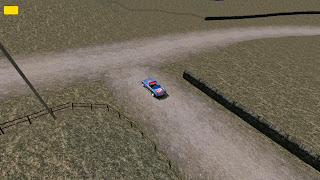


I decided a few days back to just start at the beginning and treat every inch of track as though i was finishing it off for good. My first mission was to create some better blends on the track edges and on the various intersections. I also took my first stab at a gravel-to-pavement blend. There's a specular map on the pavement texture that i also applied to the dirt half of the blend texture and it looks a little weird, but i'll fix it up right later. Here's are some screens of that stuff:
Gravel intersection

Fork in the road - shows the track edge

Gravel to pavement blend - needs some work, but it's getting there.

Once i was finished screwing around with textures i started in on putting shadows on stuff. This ended up being a lot of trial and error work. I started by putting medium detail shadows on buildings and light poles through town. The end result looked all right, but it hit the framerate pretty bad, so i started digging around the support forums for some ideas on how to improve my methods.
There ended up being a few different things i could do that implied a ton of work, but would help tremendously. So this is where i decided to just bite the bullet and do a major overhaul of everything i'd done thus far.
I started by turning off shadows and collision for damn near everything on the track. I then went through and meticulously placed invisible walls along the track edges and invisible shadow-casting walls where ever there was a building that needed to give off a shadow. This made it so that not every side of a building had to cast a shadow and i could control exactly where i did or didn't want them. It was a pain in the ass, but i'm done with everything through the first town and the garage/pit area.
There's still some tweaking to do in places where it can chug a little when the shadows get long. If there are a lot of terrain polys in an area, or there's anything funny about how they're put together, they take a lot of processing power to deal with shadows. I've cleared up the worst areas, but there are a couple other spots i could improve on next time i'm feeling that patient.
Anyway, check out some of this sweet looking shadowy shit:


While cranking away on all that, i also made a point of fixing anything that was buggy looking and polishing everything as i went along. Every time i run a race i see more stuff i want to fix or improve on, but the first town isn't that far from being completely finished. With all that about where i want it for now, i decided to string trees all the way down to the turn-around. They're not all polished up like what you've already seen, but it won't take long now to make the straightaways look pretty good. The fact that i spent the time to figure out how to optimize stuff correctly and get it all polished means that i can build the next town without any guesswork or having to do things twice. Anyway, here's the beginning of trees on the straightaways:


So that's the end of that marathon. Hopefully i can finish detailing everything out for some racing on Dead Man's Loop by next weekend. Or - at least have a good beta ready to roll. :)
Wednesday, June 23, 2010
shadowy goodness
I keep wanting to push my way out of town with trees, grass and such, but there's so much to do around the garage that i haven't moved much. I came across some sneaky tricks on the support forums that help with optimizing performance, while at the same time, allowing me to put some shadows on stuff. I've completely avoided attaching shadows to anything thus far because it brutally impacts the framerate, but now i've got some ways to make it work right. :)
Basically, I've removed hit detection from anything that isn't directly on the side of the track. The fewer polys of grass and tree crap that the game has to calculate as a solid object, the better. Since i've been meaning to surround the whole track with high invisible walls anyway, this has been a good reason to start doing that. So - i removed hit detection from the fancy fences i've been using and dropped a smooth, invisible wall right on top of them. This will make accidentally hitting the fence a much easier thing to deal with. Using the fence's natural hit detection made it so that you never knew if it was going to send you flying or knock you completely through it and off on to the surrounding terrain. Now you'll just casually glance off it and keep on your merry way.
Making it so that the only solid object next to the tracks are either buildings or the invisible wall has made it so that i can turn shadows on for trees and such without it annihilating the framerate. Now that i know this trick, it could totally change the way that i build the next town. Like - i might make ALL structures and most of the objects intangible, but with a low-poly, invisible wall in front of them. This will make it so that i can really polish the look of things with shadows and other cool stuff without screwing anything up.
So - here's what the shadowy scene is looking like at the moment. This is a pretty bad spot to try and show it off because the sun doesn't rise or set in a spot that throws the shadows on to the pavement, but you can still see them hanging out at the base of trees. This will look really cool in other spots at different times of the day:


Basically, I've removed hit detection from anything that isn't directly on the side of the track. The fewer polys of grass and tree crap that the game has to calculate as a solid object, the better. Since i've been meaning to surround the whole track with high invisible walls anyway, this has been a good reason to start doing that. So - i removed hit detection from the fancy fences i've been using and dropped a smooth, invisible wall right on top of them. This will make accidentally hitting the fence a much easier thing to deal with. Using the fence's natural hit detection made it so that you never knew if it was going to send you flying or knock you completely through it and off on to the surrounding terrain. Now you'll just casually glance off it and keep on your merry way.
Making it so that the only solid object next to the tracks are either buildings or the invisible wall has made it so that i can turn shadows on for trees and such without it annihilating the framerate. Now that i know this trick, it could totally change the way that i build the next town. Like - i might make ALL structures and most of the objects intangible, but with a low-poly, invisible wall in front of them. This will make it so that i can really polish the look of things with shadows and other cool stuff without screwing anything up.
So - here's what the shadowy scene is looking like at the moment. This is a pretty bad spot to try and show it off because the sun doesn't rise or set in a spot that throws the shadows on to the pavement, but you can still see them hanging out at the base of trees. This will look really cool in other spots at different times of the day:


Oh yea, and i can't get shadows to come off of that fence for the life of me - it's broken somehow and would probably be too complex anyway. But still, it'd sure look nice if i could get it to work. And here's a shot from inside the track builder - it shows the nice treeline i've been working on around the start of town.

Monday, June 21, 2010
Decorating the garage
For whatever reason, i can't seem to leave the garage alone. I started by wanting to cover the whole thing in a brick texture (no small task), then i decided to put lights along the front... then hang some pictures on the walls... then frame the pictures. I'd probably have most of the loop detailed out if i wasn't so hung up at the beginning. It's fun though, i've also been working in some old-school MCO images into some of the buildings around town while i'm at it and it's starting to feel like home.
How about some screenshots. Here are some buildings in town, done up right:

And here are some pictures hanging up on the garage walls. I think i'm going to go through a bunch of old screenshots and find ones that really captured the spirit of MCO. If anyone out there has a particular shot they'd like to see hanging on a garage wall, let me know - there are a ton of garages here.


And here are some night time shots of the area. They make me realize that i really need to do at least a little work with shadows. They can be such a major hit on frame-rate that i've been avoiding them entirely throughout the beginning stages. One of the last things i do will probably be to take a pass on every roadside object and see if it kills performance to make it all shadowy. Anyway...


All right - i swear i'll get my ass out of town during this next week. It should go pretty fast from there... famous last words. ;)
How about some screenshots. Here are some buildings in town, done up right:

And here are some pictures hanging up on the garage walls. I think i'm going to go through a bunch of old screenshots and find ones that really captured the spirit of MCO. If anyone out there has a particular shot they'd like to see hanging on a garage wall, let me know - there are a ton of garages here.


And here are some night time shots of the area. They make me realize that i really need to do at least a little work with shadows. They can be such a major hit on frame-rate that i've been avoiding them entirely throughout the beginning stages. One of the last things i do will probably be to take a pass on every roadside object and see if it kills performance to make it all shadowy. Anyway...


All right - i swear i'll get my ass out of town during this next week. It should go pretty fast from there... famous last words. ;)
Subscribe to:
Posts (Atom)